How to Set Up Apple CarPlay® & Android Auto™ for Honda
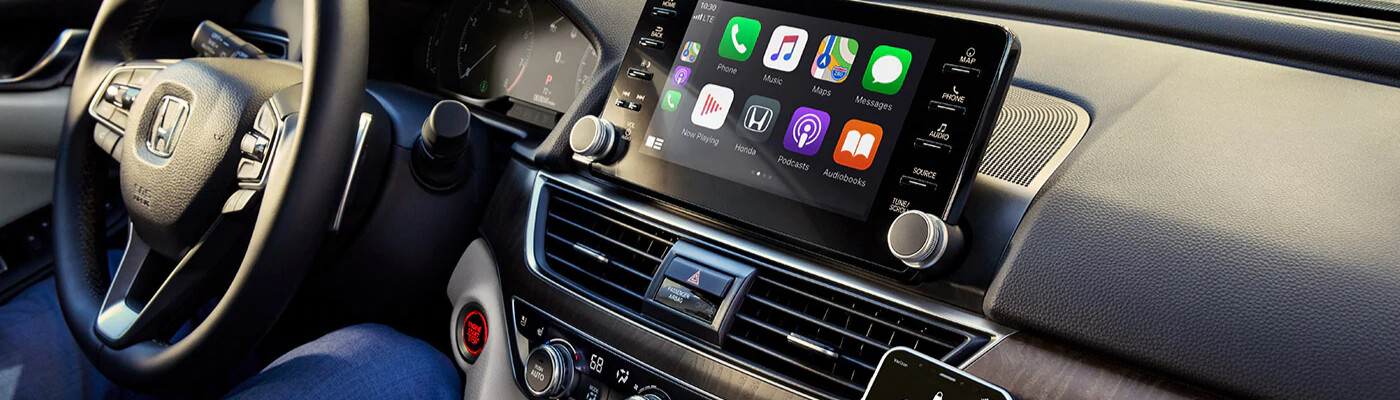
Every Honda vehicle is equipped with the latest technology features that help make your drives around Los Angeles more enjoyable. Some of the best features available in your new Honda is the smartphone integration offered by Apple CarPlay® and Android Auto™. So, do you know how to set up Apple CarPlay® in Honda as well as Android Auto™? Learn more with the experts at Ocean Honda of Whittier! For more information, feel free to contact us anytime!
How to Set Up Apple CarPlay® in Honda
Let’s take a closer look at how to set up Apple CarPlay® in Honda, as it is quite a simple and straightforward process:
- Locate the USB port with the Apple CarPlay® logo, and plug in your smartphone to the port.
- You can now head over to the infotainment screen and navigate to the “settings” menu. Once in settings choose “general” and then “CarPlay”, a list of available vehicles should appear on the screen. Once you see yours, choose your vehicle.
- Now that you’ve chosen your vehicle, you can sync your iPhone to Apple CarPlay®. This is done by either pressing down the CarPlay button on the steering wheel, or holding the Apple CarPlay® button on the infotainment screen.
- You should hear Siri activate when your iPhone is synced. You can now use your phone hands free while driving around West Covina.
How To Use Android Auto™ Wireless
If you want to know how to use Android Auto™ wireless or how to use Android Auto without a USB, check out the simple process below:
- Head to the infotainment screen and choose the “settings” section.
- Next, either download the Android Auto™ app from the Google Play Store, or simply connect your phone to the USB port in your vehicle.
- Open your Android phone
- Read the app permissions
- Turn your notifications on
- You should now be connected to Android Auto™, and see the Android Auto™ app on your Honda’s infotainment screen. You can now use your phone without taking your eye off the Corona roads.
Learn More About Smartphone Integration with Ocean Honda of Whittier!
Now that you know more about how to set up Apple CarPlay® in Honda, as well as how to use Android Auto™ wireless, come check our new vehicle inventory at Ocean Honda of Whittier to find Honda vehicles that include these helpful technologies! Be sure to visit our finance center and take advantage of our new vehicle specials to save near Corona!
More from Ocean Honda of Whittier
Your vehicle’s brake system is one of its most important safety features. Whether you’re commuting to work, taking a road trip, or running errands around town, reliable brakes help keep you, your passengers, and everyone else on the road safe. While brake components are built to last, they do wear down over time. Recognizing the…
Read More
Buying a new vehicle in the next few years could come with an additional tax benefit. Under a provision of the One Big Beautiful Bill Act, eligible taxpayers may be able to deduct up to $10,000 in qualifying vehicle loan interest each year for tax years 2025 through 2028. Unlike many tax deductions that require…
Read More
September is National Preparedness Month, making it the perfect time to think beyond routine vehicle maintenance and prepare for the unexpected. Whether you’re commuting to work, taking the kids to school, or heading out on a road trip, having a well-stocked emergency kit in your vehicle can make a big difference if you encounter a…
Read More